 SMote
SMote at a glance
| What it is | A Wi-Fi remote control app for Samsung TVs |
|---|---|
| Runs on | iPhone with iOS 17 or later, with an Apple Watch app. Control Center controls need iOS 18 |
| Works with | Samsung Smart TVs that run Tizen, 2016 and later, including The Frame, QLED, Neo QLED, OLED and Crystal UHD. Newer entry-level sets such as the 2025 H5000F count too |
| Not for | Not supported yet: 2015 and older TVs, and a few 2016 models that ask for a PIN. Also not soundbars or other brands. It does not mirror your screen |
| Pairing | Press Allow on the TV once. No code, no developer mode |
| Network | iPhone and TV on the same Wi-Fi; commands go directly to the TV, not through any server |
| Account | None. No Samsung account or SmartThings needed |
| Voice | Say an app, a search or a command (SMote Pro). Your iPhone turns your words into text on the device; nothing is recorded, stored or sent. Needs a language your iPhone can recognise on the device |
| Price | Free remote, with every key. Optional SMote Pro for Voice, the Apple Watch remote, widgets, Control Center and Siri Shortcuts: $1.99 weekly, $3.99 monthly or $9.99 yearly (US dollars) |
| Languages | 24: English, Spanish (Spain and Latin America), Portuguese (Brazil), German, French, Italian, Hindi, Arabic, Russian, Korean, Japanese, Turkish, Indonesian, Vietnamese, Polish, Dutch, Thai, Chinese (Traditional and Simplified), Ukrainian, Romanian, Czech and Malay |
| Availability | Coming soon to the App Store |
| Publisher | Javidan Salarian (bundle ID com.jimootech.smote) |
How to use your iPhone as a Samsung TV remote
- Join the same Wi-Fi as your Samsung TV, and make sure the TV is on.
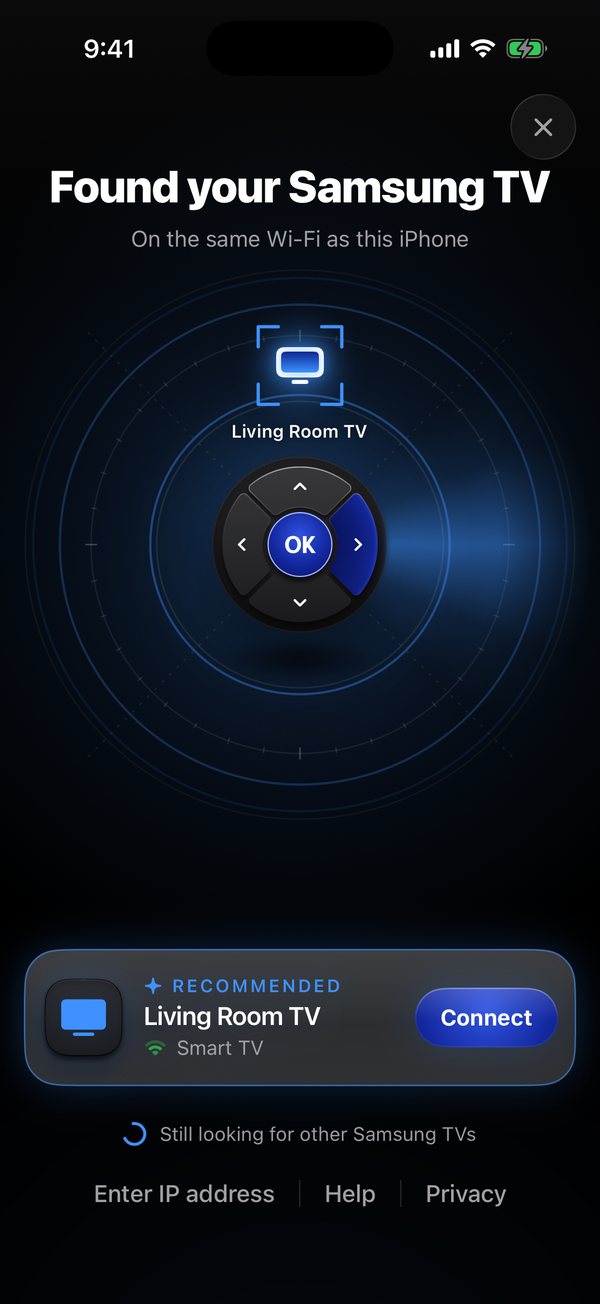
- Open SMote and allow Local Network access. It finds your TV by itself; you can also type the TV's IP address.
- Press Allow on the TV when it asks. You only do this once.
- Control everything: D-pad or touchpad, playback, volume, channels, every key, your TV's apps, typing with your iPhone keyboard, and Voice with SMote Pro.
What you can do with SMote
A D-pad you can't miss
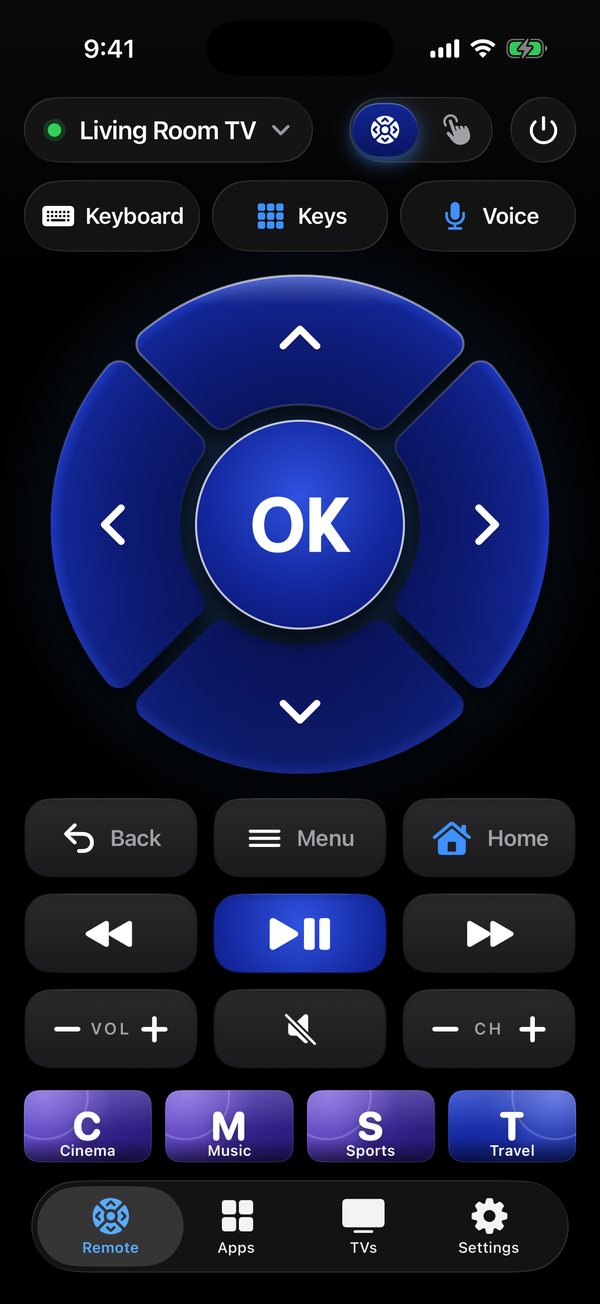
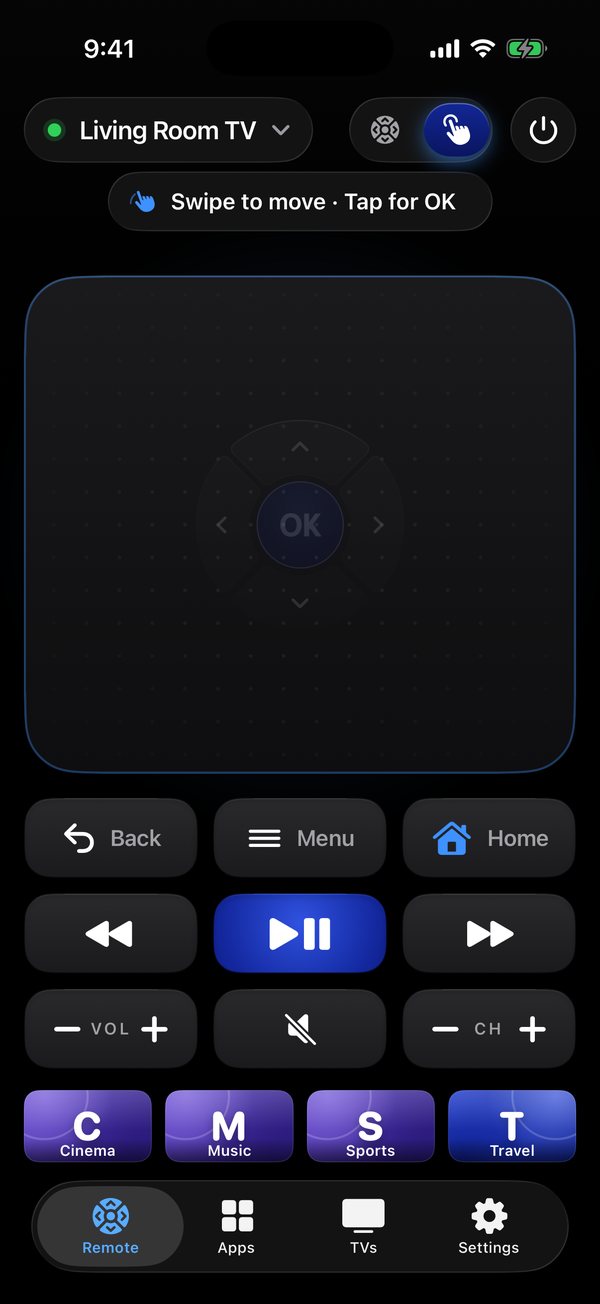
Big, clear keys made for thumbs, with a gentle tap you can feel. Back, Menu, Home, playback, mute and power are right below.
Or just swipe
Turn the pad into a touchpad: swipe to move, tap to select.
Type on your TV
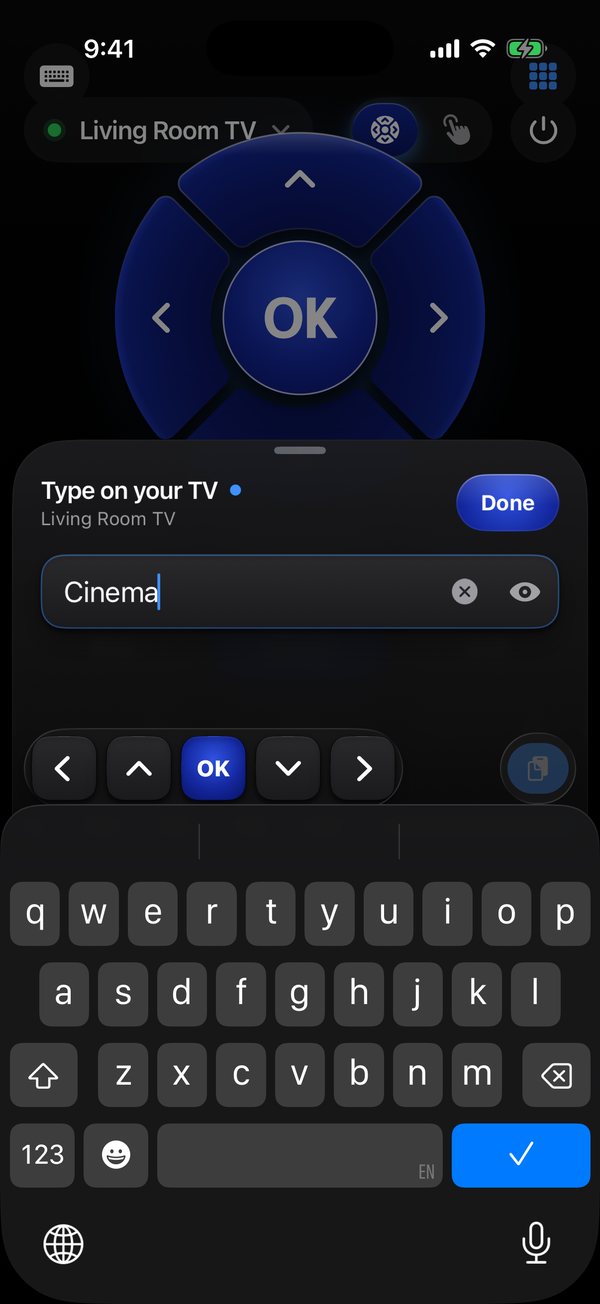
Search with your iPhone keyboard instead of hunting for letters one by one.
Just say it
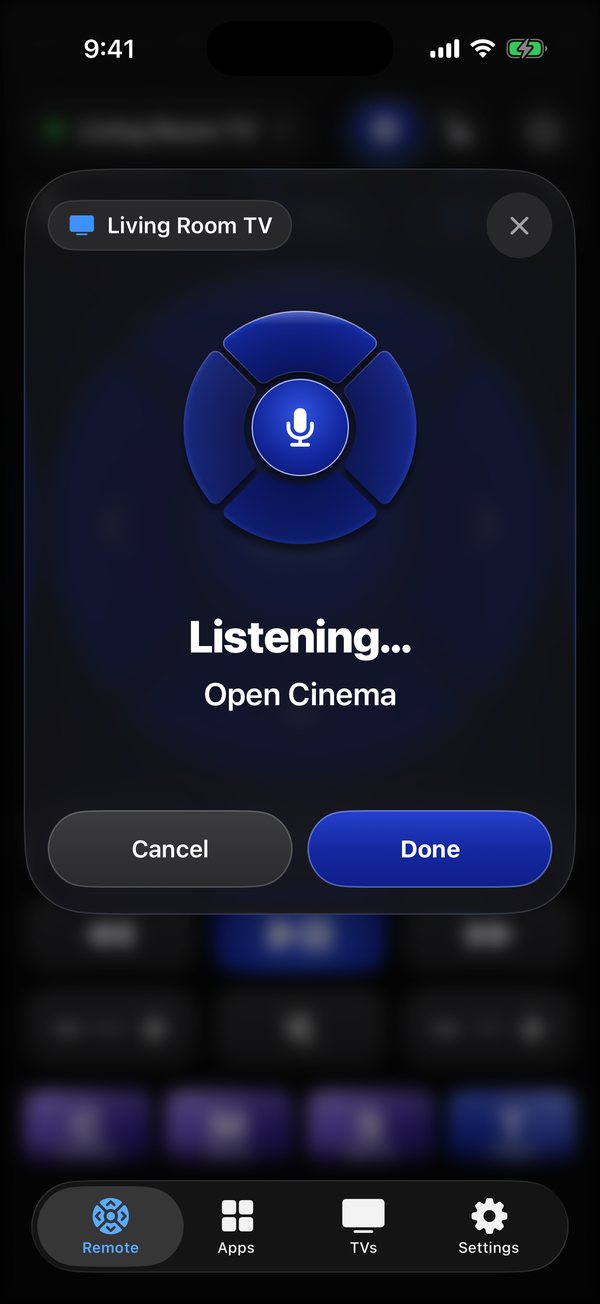
Tap Voice and say an app, a search or a command. Your iPhone turns your words into text on the device, and nothing is recorded or stored. Part of SMote Pro.
Every app, one tap
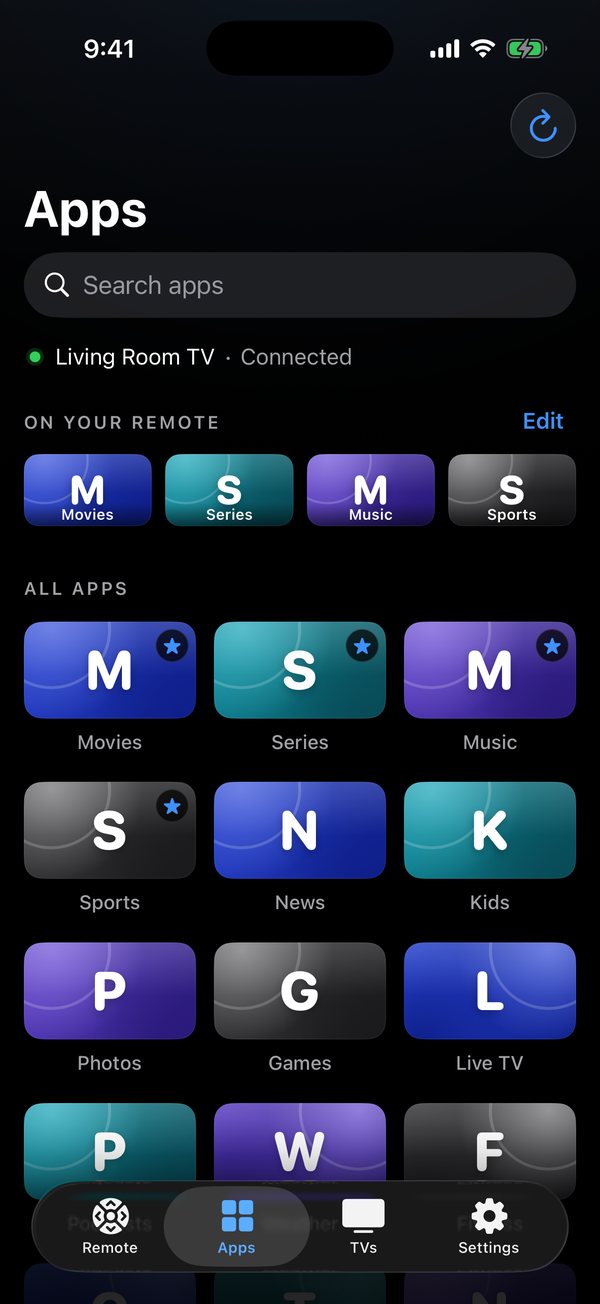
Your TV's apps in a grid. Open any of them and pin four to the remote.
Every TV in the house
Save several TVs, rename them and pick a default. SMote reconnects on its own.
Apple Watch
D-pad, playback and Home on your wrist, with the Digital Crown for volume. Part of SMote Pro.
Widgets and shortcuts
Home Screen and Lock Screen widgets, Control Center controls and Siri Shortcuts. Part of SMote Pro.
Every key
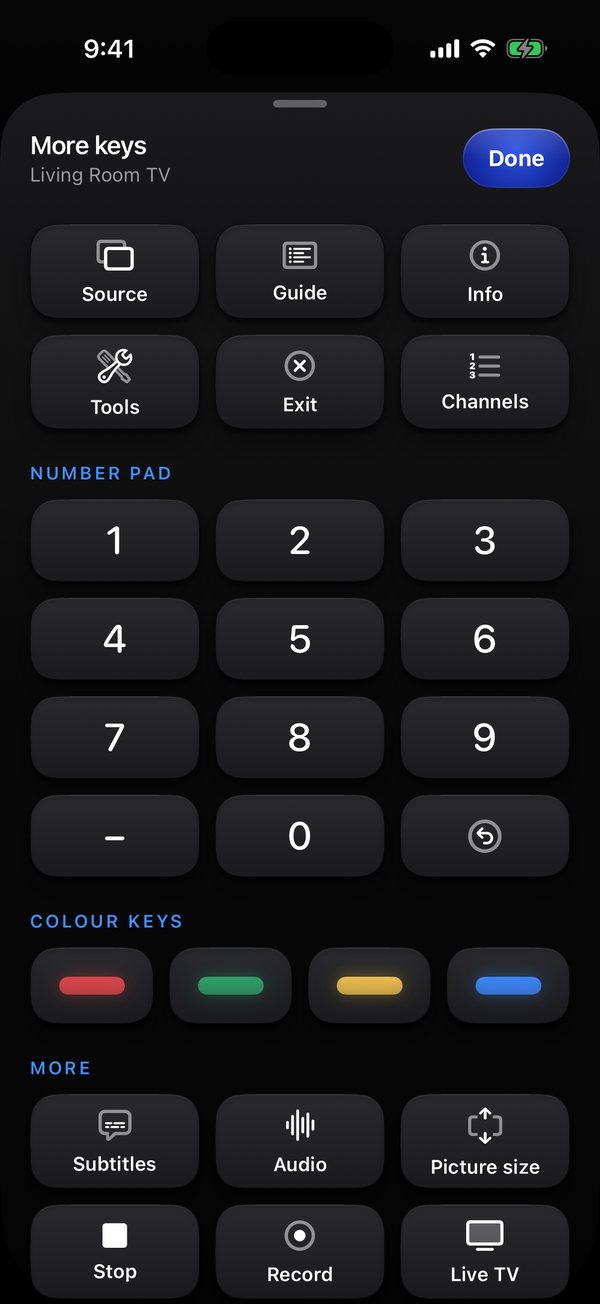
The Keys panel adds a number pad, color keys, Source, Guide and more. It is part of the free remote.
Free remote, optional SMote Pro
The D-pad, touchpad, all the keys, apps, keyboard, TVs and settings are free and never need a subscription. SMote Pro unlocks Voice, the Apple Watch remote, widgets, Control Center controls and Siri Shortcuts, and Pro stays ad-free, always.
Plans: $1.99 weekly, $3.99 monthly or $9.99 yearly in US dollars; your local price is shown in the app before you buy. A subscription renews automatically unless cancelled at least 24 hours before the end of the period. Manage or cancel it in your Apple Account settings. See Apple's standard Terms of Use.
Which TVs and iPhones work
SMote works with Samsung Smart TVs that run Tizen, 2016 and later, including The Frame, QLED, Neo QLED, OLED and Crystal UHD. Newer entry-level sets such as the 2025 H5000F count too. Not supported yet: 2015 and older TVs, and a few 2016 models that ask for a PIN. Your iPhone and TV need to be on the same Wi-Fi network, not a guest network. SMote needs iOS 17 or later.
Privacy in short
No account and no tracking. Your TVs and pairing keys stay on your iPhone, and commands go directly to your TV over your own network. Voice uses the microphone and speech recognition only while you use it: your words are turned into text on your iPhone, and your voice is never recorded, stored or sent. Anonymous usage statistics and crash reports help fix problems, and you can turn them off in Settings. Read the full Privacy Policy.
Frequently asked questions
How do I use my iPhone as a Samsung TV remote?
Put your iPhone and your Samsung TV on the same Wi-Fi, open SMote and allow Local Network access. SMote finds the TV. Pick it and press Allow on the TV when it asks. You only do this once.
Can I control my Samsung TV without the remote?
Yes, after one step. The first connection needs someone to choose Allow on the TV, using the TV's own remote or the buttons on the TV. After that SMote remembers the TV.
Which Samsung TVs work with SMote?
Samsung Smart TVs that run Tizen, 2016 and later, including The Frame, QLED, Neo QLED, OLED and Crystal UHD. Newer entry-level sets such as the 2025 H5000F count too. Not supported yet: 2015 and older TVs, and a few 2016 models that ask for a PIN.
Do I need a Samsung account or SmartThings?
No. SMote has no account or sign-in and does not use a Samsung account or SmartThings.
Can I type on my Samsung TV with my iPhone?
Yes. Open a search box or text field on the TV, open the keyboard in SMote and type on your iPhone.
Does SMote have voice control?
Yes, with SMote Pro. Tap Voice on the remote and say an app, a search or a command such as volume up or home. Your iPhone turns your words into text on the device, so your voice is not recorded, stored or sent anywhere. Voice asks for the microphone and speech recognition the first time you use it, and needs a language your iPhone can recognise on the device. More help is on the support page.
Does SMote work on Apple Watch?
Yes, with SMote Pro. It has a D-pad, playback and Home keys, and volume with the Digital Crown. Each press travels through your iPhone, so pair the TV in the iPhone app first.
Can SMote turn my Samsung TV on?
It depends on the TV. SMote can put a TV to sleep and tries to wake a TV it has paired, but switching on from standby depends on the model and its settings. On many models the setting is Power On with Mobile, under the TV's network settings.
Is SMote free?
The remote is free, including the Keys panel. SMote Pro is an optional subscription at $1.99 weekly, $3.99 monthly or $9.99 yearly in US dollars; your local price is shown in the app before you buy. It unlocks Voice, the Apple Watch remote, widgets, Control Center controls and Siri Shortcuts, and Pro stays ad-free.
Does SMote mirror my iPhone screen?
No. SMote is a remote control. It does not mirror or cast your iPhone's screen.
My TV isn't found. What now?
Check that both are on the same Wi-Fi (not a guest network), that the TV is on, and that SMote has Local Network access. Pause any VPN. You can also type the TV's IP address. More help is on the support page.
Is SMote made by Samsung?
No. SMote is an independent app and is not affiliated with, endorsed by or sponsored by Samsung Electronics.